Your GDPR rights as a PlayOJO player
If you use PlayOJO services, GDPR gives you a set of rights over personal information linked to your account and activity. In iGaming, these rights apply alongside local licensing, fraud-prevention, and anti-money laundering rules, so some records cannot always be erased straight away. On this page, I focus mainly on the right to access your data, but the same route can also help you start other privacy requests.
In practical terms, your PlayOJO privacy rights may include:
- Access the personal data held about you
- Correct inaccurate or outdated account details
- Ask for deletion where the law allows it
- Request restriction of certain processing
- Receive data in a portable format where applicable
- Object to direct marketing and update consent choices
If you already have an account, you may also need to log in or confirm account ownership during the process. If you do not yet use the service and plan to open a real money account, your future privacy rights will be explained in the same policy framework.
What kind of data you can request from PlayOJO
A GDPR data request can cover most personal information connected to your relationship with PlayOJO. That usually includes registration details such as your name, email, phone number, address, or country, along with account settings and marketing preferences. Depending on your history, it can also include gameplay logs, payment records, withdrawal activity, communication history with customer care, and notes linked to responsible gaming tools.
Some information may fall outside the scope of personal data if it has been anonymised or aggregated so it no longer identifies you. In other cases, part of a file may be redacted where disclosure could affect another person’s rights, internal fraud checks, or legal record-keeping duties.
Examples of data categories you may receive in a DSAR response
| Data category |
Typical examples |
Notes / limitations |
| Account details |
Name, username, registered email, phone, address, country |
May reflect current and historical profile data |
| Identity & KYC docs |
Identity verification records, document status, proof checks |
Copies may be limited or partially redacted for security |
| Gameplay history |
Session dates, products used, activity history, outcomes |
Technical logs may be filtered to relevant personal records |
| Payments & withdrawals |
Deposit records, withdrawal requests, payment method history |
Some financial or fraud-screening details may be restricted |
| Communications with support |
Emails, chat records, complaint history, case notes |
Third-party personal details may be removed |
| Responsible gaming tools |
Self-exclusion records, limit changes, safer play settings |
Retention can be affected by legal obligations |
| Marketing preferences |
Email opt-ins, SMS preferences, consent records |
Historical preference changes may also appear |

How to submit a data subject access request
If you want to access my personal data style information held on your account, the easiest approach is to use PlayOJO’s GDPR contact channel and be clear about what you need. You do not need legal wording. A short and accurate request is usually better than a long one.
Step-by-step DSAR process
- Log in to your account if you can, so your account details are easy to confirm.
- Gather the basics: full name, username, registered email, and country linked to the account.
- Say what you want to receive. You can ask for a full copy of your data or narrow it to a date range or category.
- Send the request through our GDPR contact channel. If possible, use the same email address registered on your account.
- Wait for confirmation that your request has been received. You may be asked for more details if anything is unclear.
- Complete any identity checks needed to keep your information secure.
- Receive the response and download or save a copy for your records.
Most requests are free of charge. If a request is clearly excessive or repeatedly asks for the same material, the law may allow a reasonable fee or a refusal in limited cases.
Use the main privacy route if you are ready to submit your request.
Submit my GDPR data request
Identity verification and keeping your request secure
Before releasing personal data, PlayOJO has to make sure the request really comes from the account holder. That protects you from someone else trying to access account records, payment history, or identity information without permission. In my review of GDPR workflows, this is one of the most normal parts of the process.
The privacy team may ask for:
- Confirmation from your registered email address or phone number
- Basic profile details such as date of birth or postcode
- Answers to account security questions where relevant
- Additional ID evidence if the first checks are not enough
Any verification request should be tied to security and handled through protected channels. The aim is usually to confirm identity while keeping extra document handling to a minimum.
Verification vs. security: what to expect
| Step |
Why we ask for this |
How it protects you |
| Email confirmation |
To match the request to the registered account |
Helps stop unauthorised third parties |
| Security questions |
To verify account ownership details |
Adds an extra layer before disclosure |
| ID document check |
To confirm identity if account details do not fully match |
Reduces the risk of mistaken release |
| Secure delivery of data file |
To send your data safely |
Helps prevent interception or accidental access |
Timelines, updates and possible outcomes of your request
After you submit a request, PlayOJO should handle it within the time limits set by GDPR and local law. The exact timing can vary depending on how broad the request is, whether identity checks are needed, and whether records need review before release.
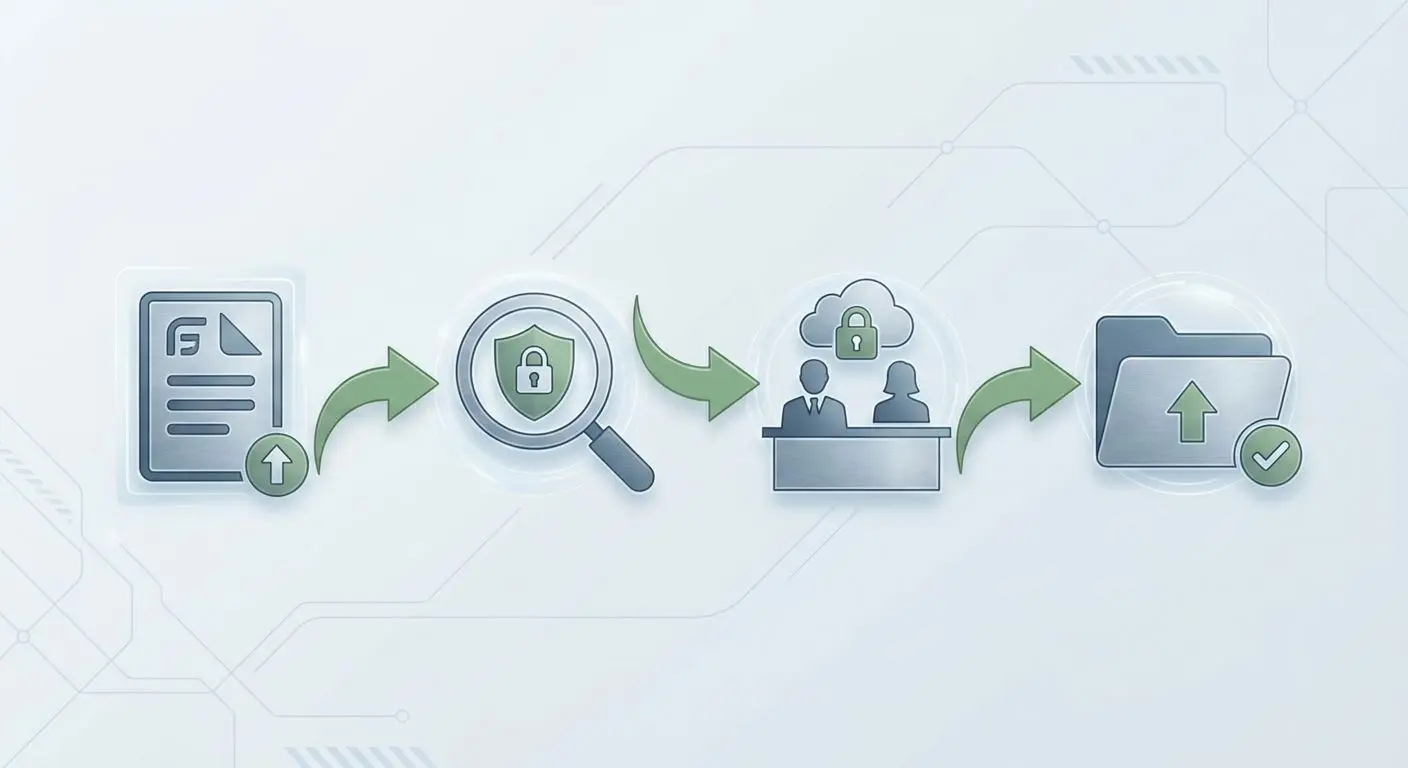
The journey usually starts with confirmation that the request has been received. After that, the team may ask follow-up questions, verify your identity, gather data from the relevant systems, and prepare the response. Once ready, the data is sent through a secure method.
Possible outcomes include full access to the data requested, partial access where some details are removed, or refusal to disclose certain records. Partial or limited responses can happen where information contains third-party details, internal fraud markers, or records that must stay protected under legal duties.
Typical DSAR journey at PlayOJO
| Stage |
What we do |
What you see/receive |
Notes |
| Request received |
Log and review your submission |
Acknowledgement or confirmation |
May include a request reference |
| Verification |
Check identity and account ownership |
Verification message or follow-up |
Response timing may pause until checks are complete |
| Data collection |
Gather relevant records from systems |
Usually no visible change |
Scope may be clarified if needed |
| Response sent |
Prepare and deliver the final package |
Data file, summary, or explanation |
Some content may be redacted |
| Follow-up |
Answer reasonable questions on the response |
Clarification message |
A separate rights request may be needed for changes |
If you have already sent a request and need an update, use the official follow-up route.
Track or follow up on my request
Adjusting, restricting or deleting your data
After you receive a copy of your records, you may decide that something needs to be corrected or limited. This is often the point where people notice an old phone number, outdated address, or marketing preference they want changed. A DSAR can therefore be the starting point for broader data management.
Common next steps include:
- Update account details that are inaccurate or out of date
- Change marketing settings in your profile where available
- Ask for restriction of certain processing
- Request deletion of data that does not need to be retained
- Ask follow-up questions about specific records
Some profile and communication preferences can often be managed directly in your account. Requests to restrict or erase data usually need manual review, and some records must be kept for legal, security, or AML reasons.
Manage my account details
Getting help with GDPR data requests
If you are not sure whether you need a DSAR, a correction request, or a deletion request, the quickest next step is to contact our support team. Support can explain the difference between request types, direct you to the right privacy route, and tell you what information to prepare before you send anything.
That can save time, especially if you want specific records rather than a full data export. It also helps reduce delays caused by missing account details or incomplete identity checks.
Contact our support team
Stay informed and connected
Legal and privacy pages can change when internal processes, platform tools, or data protection rules are updated. I recommend checking this page from time to time if you want the latest playojo data subject access request info and general privacy guidance.
You can also follow PlayOJO’s official channels for broader brand updates and transparency-related communications, though social media is not the right place to submit a DSAR: Facebook, Instagram, X, and YouTube.
Follow PlayOJO online